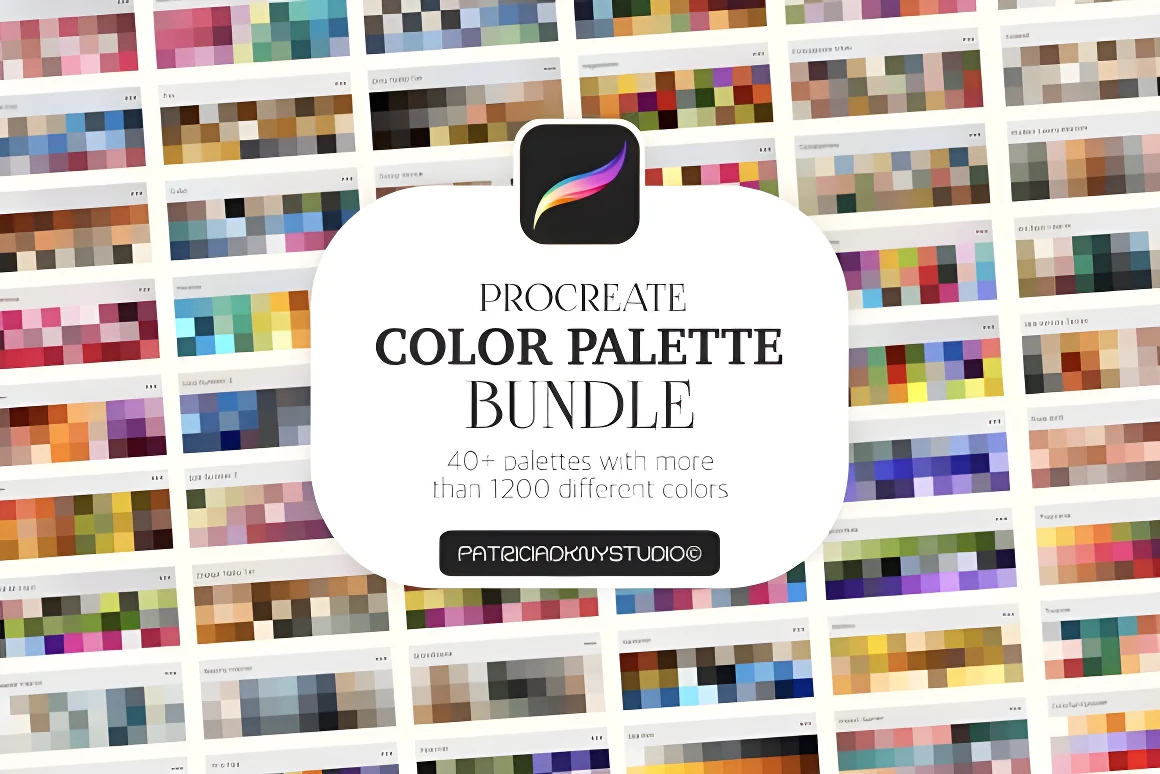
Choosing harmonious colors from scratch on an empty color wheel is one of the fastest ways to stall before an illustration even starts. Procreate uses a dedicated `.swatches` file format that stores up to 30 curated color squares per palette card inside your Color panel.
Importing a `.swatches` download on iPad takes less than a minute once you extract the ZIP archive in the iPad Files app—and you can undock the Palettes panel onto your canvas as a floating Color Companion while you paint.
Comparing DigiKitPro Procreate color palette resources
| Palette resource | Price | Listed contents & format | Download size |
|---|---|---|---|
| Free Color Vault (1,200+ Swatches) | Free ($0) | 40 Procreate color palettes · 1,200+ swatches (`.swatches` only, no brushes) | 142KB ZIP |
| 50 Procreate Color Palettes Bundle | $5.00 | 50 Procreate color palettes · 30 swatches per palette (1,500 swatches, `.swatches` only) | 282KB ZIP |
| 160 Procreate Brush & Palette Bundle | $5.00 | 160 pattern brushes (`.brushset`, filled & transparent versions) + 12 color palettes | 104MB ZIP |
| Sketchbook & Traditional Media Kit | $10.00 | 27 sketching brushes (`.brushset`) + 2 `.procreate` 300 DPI canvases + 13 color palettes (`.swatches`) | 653MB ZIP |
For official documentation on the Color panel and palettes, see the Procreate Handbook: Colors and Palettes.
Step 1: Download and unzip the palette ZIP in the iPad Files app
Like brush packs, multi-palette collections are delivered inside a compressed `.zip` folder so you don't have to download 40 or 50 separate files one by one from your receipt:
- Download your palette archive from Payhip (to practise for free right now, grab the 142KB Free Color Vault on our Free Brushes page).
- Open the Files app on your iPad and go to your Downloads folder (under iCloud Drive or On My iPad).
- Tap the `.zip` file once. iPadOS extracts a blue folder right beside the ZIP containing the individual `.swatches` files.
If your download also includes `.brushset` files—such as the 160 Procreate Brush & Palette Bundle—keep that extracted folder open so you can import both the brushes and the palettes.
Step 2: Import .swatches files into Procreate (single tap or Split View drag-and-drop)
You can load `.swatches` files into Procreate in two ways:
- Single-file tap: Inside the extracted folder in the iPad Files app, tap any `.swatches` file once. It opens Procreate automatically and adds the palette to the Palettes tab of your Color panel.
- Batch drag-and-drop via Split View (fastest for 40–50 palettes): Open a canvas in Procreate, open the Color panel > Palettes tab, and bring the iPad Files app up beside Procreate in Split View or Slide Over. Tap Select in Files, choose several `.swatches` files at once, and drag the stack directly into Procreate’s Palettes list.
Need to install `.brushset` files at the same time? Follow our companion guide on how to install Procreate brushes.
Step 3: Set a Default Palette and pin the floating Color Companion
Once imported, new palettes sometimes appear at the bottom or top of your Palettes list depending on your Procreate version:
- Open the Color circle in the top-right corner of Procreate and tap the Palettes tab at the bottom of the popover.
- Tap Cards (for visual 30-swatch grids) or Compact (for seeing more palette titles at once), then press and drag any palette card to reorder your favorites to the top.
- Tap the `•••` (three dots) menu beside the palette you are using for your current piece and choose Set as Default so it appears at the bottom of the Classic, Disc, Harmony, and Value color pickers.
- Drag the small gray handle bar at the very top of the Color popover toward the center of your screen to detach it as a floating Color Companion window—keeping your 30 swatches visible on canvas while you paint.
Step 4: Apply the 60-30-10 rule so a 30-swatch palette stays cohesive
Having 30 swatches in a palette does not mean using all 30 colors equally in one drawing. To keep an illustration unified:
- 60% Dominant family (2–3 swatches): Your background wash, primary clothing mass, or overall ambient light tone.
- 30% Secondary family (2–3 swatches): Supporting mid-tones, skin planes, foliage, or shadow values.
- 10% Accent note (1–2 high-contrast swatches): Focal details such as eye catchlights, jewelry, floral centers, or warm rim light.
Within each color family on a 30-swatch card, pick one light value, one mid-tone, and one shadow value so your forms read clearly even when you test the canvas in grayscale.
Step 5: Pair your palettes with portrait, watercolor, and pattern brushes
Curated color palettes shine brightest when paired with brushes that mix or layer pigment naturally:
- Watercolor & botanical washes: Pair earth, floral, and botanical palettes from the 50 Procreate Color Palettes Bundle or the Free Color Vault with the wash, liner, and blender tools in 80 Organic Watercolor Brushes ($5). Overlapping two translucent washes from the same palette creates natural third tones along the wet edge (see our realistic watercolor guide).
- Portraits & skin tones: Pair warm Undertone, Peach, Olive, and Deep Umber swatches with the 19 textured pore and blending brushes in Portrait Skin Brushes for Procreate ($5).
- Seamless pattern fills: Pair the 12 included palettes and 160 filled/transparent pattern brushes in the 160 Procreate Brush & Palette Bundle ($5) to block in patterned clothing, wallpaper, and stationery backgrounds.
FAQ
What is the difference between a .swatches file and a .brushset file?
A .swatches file contains Procreate color palettes (squares of color that appear in the Palettes tab of your Color panel). A .brushset file contains drawing, painting, or stamp brushes that appear in your Brushes library.
Why won’t my downloaded palette ZIP import directly into Procreate?
When multiple .swatches files are bundled together, they are compressed inside a .zip archive. Tap the .zip file once in the iPad Files app to extract the folder first, then tap or drag the .swatches files inside into Procreate.
Where do imported palettes show up in Procreate?
Open any canvas in Procreate, tap the circular Color icon in the top-right corner, and tap the Palettes tab at the bottom-right of the Color popover. Scroll to the top or bottom of the Cards list and tap Set as Default on the palette you want active.
Can I download free Procreate color palettes to test .swatches import first?
Yes. The Free Color Vault on the DigiKitPro Free Brushes page includes 40 Procreate color palettes (1,200+ swatches total) in a 142KB ZIP download at no cost.
Which paid pack includes both Procreate brushes and color palettes?
The 160 Procreate Brush & Palette Bundle ($5, 104MB ZIP) includes 160 pattern brushes alongside 12 color palettes, and the Sketchbook & Traditional Media Kit ($10, 653MB ZIP) includes 27 sketching brushes, 2 canvas files, and 13 color palettes.
Sources and update note
- Procreate Handbook: Colors and Palettes — official reference for importing `.swatches` files, Default Palettes, and the floating Color Companion.
- DigiKitPro product pages linked above — verified swatch counts, formats, and ZIP sizes.