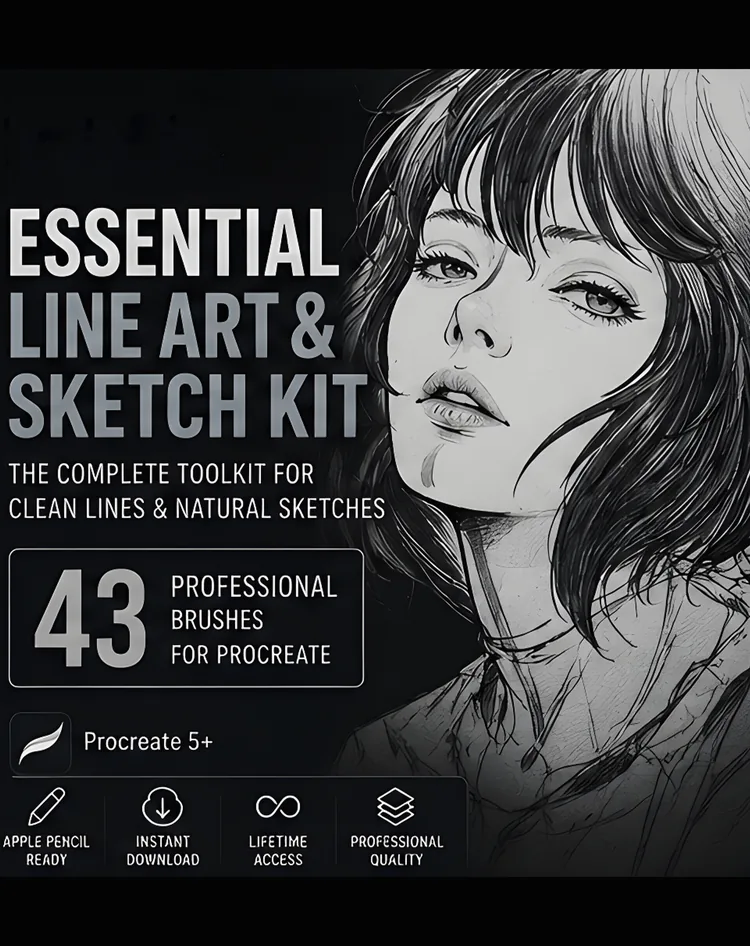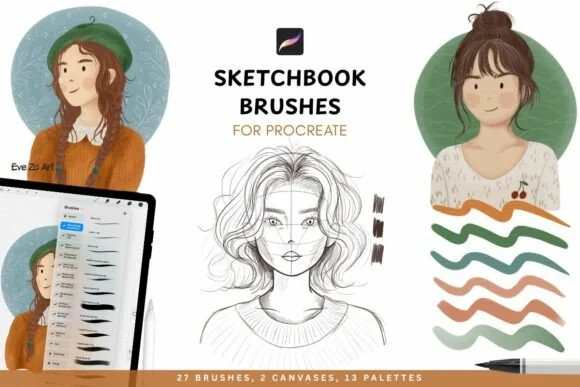
Traditional media drawing kitSketching

Professional Sketchbook Procreate Brushes: Traditional Media & Drawing Kit

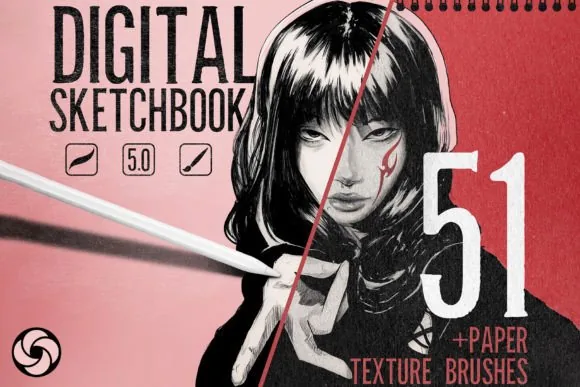
Gritty textures, organic linework and effortless blending, a sketchbook studio that turns your iPad into a high-end paper canvas.

Price$10.00
Buy Now ↗

Opens the Payhip checkout in a new tab

Secure checkout via Payhip · instant download · all sales final once downloaded, faulty files always resolved · Refund policy

Commercial use allowed. Yes — commercial use is allowed. Finished artwork you create is yours to use in commissions, client projects, prints, products and other commercial work. You may not resell, share, redistribute or repackage the brush files themselves. Contact us before agency, classroom or multi-user use. Read the full licence.

  • Instant download via Payhip
  • Lifetime access
  • Procreate on iPad required

Why You'll Love It

  • Meticulously crafted traditional-media brushes
  • Gritty textures and organic linework
  • From blocking shapes to fine-tooth detail
  • Effortless physical-media style blending

What's Included

  • 27 Professional Sketching Brushes (.brushset)
  • Featuring a wide range of textures, from fine graphite details to broad, flowing charcoal-style washes.
  • 2 Magic Canvases (.procreate)
  • Perfectly textured to simulate a real paper surface for instant realism.
  • iPad Standard (S): 3000 × 4000 px at 300 DPI
  • iPad Large (L): 4000 × 6000 px at 300 DPI
  • 13 Curated Color Palettes (.swatches)
  • Hand-picked for a realistic, traditional artist's setup.
  • Instant Direct Download
  • Tags
  • Procreate brushes, sketching brushes, Procreate brush set, digital sketching,
  • traditional media brushes, charcoal brushes Procreate, graphite brushes,
  • Procreate canvas, drawing kit, Procreate color palettes, digital art tools,
  • iPad drawing, sketchbook brushes, Procreate 5, digital illustration

About This Product

Step Into the World of Traditional Sketching, Digitally.

Bring your ideas to life with the Sketchbook Essentials Studio for Procreate.

This collection has been meticulously crafted to capture the gritty textures, organic line work, and effortless blending of physical media. Whether you're blocking in initial shapes or adding fine-tooth detail, these essential tools turn your iPad into a high-end paper canvas.

No complex settings required, simply import your brushes and start creating immediately.


What's Included

27 Professional Sketching Brushes (.brushset)

Featuring a wide range of textures, from fine graphite details to broad, flowing charcoal-style washes.

2 Magic Canvases (.procreate)

Perfectly textured to simulate a real paper surface for instant realism.

  • iPad Standard (S): 3000 × 4000 px at 300 DPI
  • iPad Large (L): 4000 × 6000 px at 300 DPI
  • 13 Curated Color Palettes (.swatches)

Hand-picked for a realistic, traditional artist's setup.


Instant Direct Download

Your purchase includes a ZIP file containing all brushes, canvases, and palettes. Download and import directly into Procreate to begin your traditional digital drawing journey.


Tags 

Procreate brushes, sketching brushes, Procreate brush set, digital sketching,

traditional media brushes, charcoal brushes Procreate, graphite brushes,

Procreate canvas, drawing kit, Procreate color palettes, digital art tools,

iPad drawing, sketchbook brushes, Procreate 5, digital illustration

Technical Details

Format.brushset (Procreate)
ContentsTraditional media drawing kit
DownloadZIP (653MB)
DeliveryInstant digital download via Payhip
Designed for Apple Pencil pressure & tilt

Requirements

  • iPad with the Procreate app (not compatible with Photoshop or other apps)
  • Apple Pencil recommended for pressure & tilt control
  • Digital download, no physical item ships

How to install it

  1. Buy or download on Payhip — the .brushset file arrives by email instantly.
  2. Get the file onto your iPad (AirDrop from a Mac, or any file transfer on Windows).
  3. Tap the .brushset file in the Files app and choose Open in Procreate.
  4. The set installs automatically and appears in your Brushes panel, ready to use.

Full walkthrough with screenshots: How to install Procreate brushes.

Who It's For

Sketchbook artistsTraditional media loversConcept artists

Looking for more than one pack?

This pack — Professional Sketchbook Procreate Brushes: Traditional Media & Drawing Kit, $10.00

or

The DigiKitPro Master Library: 2,000+ Procreate Brushes

This pack solves one problem well for $10.00. If you paint across several styles, the Master Library covers all of them for $19.00 — +$9.00 over this pack.

$19.00 View Product

Secure checkout via Payhip · instant download · all sales final once downloaded, faulty files always resolved · Refund policy

FAQ

What do I need to use this product?

You need an iPad with the Procreate app. Full requirements are listed above on this page.

How will I receive my files?

Immediately after checkout on Payhip you are redirected to a download page, and you also receive an automated email with a permanent download link.

What is the refund policy?

Due to the nature of digital products, all sales are final once files are downloaded. If you run into any technical issue, contact DigiKitPro and it will be resolved.

Get This Product

Secure checkout on Payhip. Instant delivery to your email.

Secure checkout via Payhip · instant download · all sales final once downloaded, faulty files always resolved · Refund policy

Buy Now ↗

You may also like

Free starter pack

Get the Free Procreate Starter Pack

Download the free Portrait Starter Guide plus free brush packs, new releases and iPad art tips. No spam, unsubscribe anytime — or grab the free packs right now, no email needed.

No spam. Unsubscribe anytime.

Prefer to grab them now? Browse the free brush packs.