A line-art brush should make your decisions clearer, not hide them. The right tool gives you predictable width changes, a useful edge, and enough texture to match the style you want. It cannot replace drawing practice, but it can remove avoidable friction while you learn.
This guide compares line-art brush needs by workflow rather than declaring one universal winner. The DigiKitPro recommendations are based on the current catalogue descriptions and intended use; test the stroke at your normal canvas size before committing to a full illustration.
What to look for in a Procreate line-art brush
Pressure response and taper
For expressive ink, a light-to-heavy-to-light stroke is often more useful than a line that stays the same width. Draw slow curves, quick flicks, and long pulls while changing pressure. Watch whether the mark responds gradually or jumps between sizes.
A controlled edge
A perfectly smooth digital edge suits some graphic styles. A little tooth can help pencil, dry ink, or paper-based illustration feel less sterile. The correct amount depends on your subject: comic inking often benefits from clarity, while sketchbook linework may need visible grain.
A workable level of stabilisation
Stabilisation can help with long contours, but too much can make a stroke feel delayed or remove the small variations that give a drawing character. Use it as a support for a difficult line, not as a substitute for a confident gesture.
A scale that matches your canvas
A line that looks delicate on a 2,000-pixel sketch may become too heavy on a 4,000-pixel print canvas. Test the brush at the size you will actually use and zoom out to check whether the line hierarchy still reads.
Four useful starting points
| If you need… | Consider… | Why it fits |
|---|---|---|
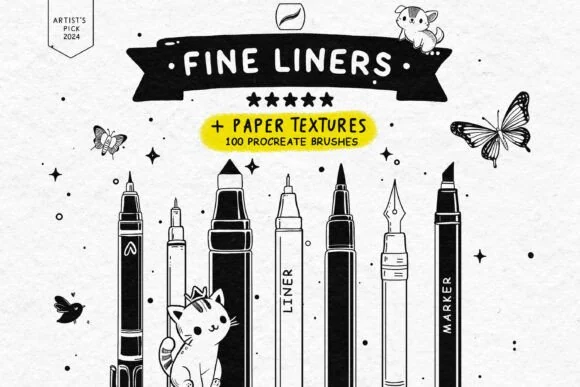
| Free practice tools | Free Fine Liner Set | The catalogue lists 100 brushes and 13 paper textures; useful for testing line families without a purchase. |
| A compact drawing kit | Essential Line Art & Sketch Kit | A focused starting point for sketching, pencils, liners, and ink work. |
| Liner and marker variety | Professional Liner & Marker Studio | The product is listed with 39 high-fidelity liner and marker brushes for controlled ink and marker-style work. |
| A broader line-art library | Master Line-Art Vault | The catalogue lists 300-plus fine-line brushes for artists who want more range and already know their preferred marks. |
The table is a decision aid, not a lab ranking. The product pages are the source of truth for current files, counts, and requirements.
A five-minute liner test
Create a small test sheet before starting a final drawing:
- Draw ten tapered strokes, changing pressure across each stroke.
- Draw circles, S-curves, and parallel lines at three sizes.
- Ink a simple object with outer contour, interior detail, and hatching.
- Flip the canvas horizontally to catch hesitant contours.
- View the drawing at 25–50% and inspect the line hierarchy.
Keep the brush that helps you make a deliberate mark repeatedly. A dramatic stamp preview is less important than a stable everyday stroke.
Layer and workflow choices for cleaner ink
Sketch loosely on its own layer and reduce its opacity before inking. Keep the final line art separate until the shapes and hierarchy are resolved. If you need to clean a contour, redraw the full gesture rather than repeatedly erasing a tiny wobble; the larger action is usually more confident.
For comics or tattoo concepts, keep large black shapes separate from fine linework until the composition reads at thumbnail size. For coloured illustration, decide whether the line will remain dark, shift toward a colour, or disappear under paint before you over-render it.
Common mistakes
- Using a tiny canvas: the line cannot hold a clean hierarchy when you enlarge it later.
- Choosing the heaviest brush for every contour: outer lines and interior details need different weights.
- Over-stabilising: a smooth line can still be lifeless.
- Polishing before construction: line quality will not correct a proportion problem.
- Buying by count alone: more liners are not more useful if they all produce the same mark.
FAQ
What is the best Procreate brush for clean line art?
There is no single best brush for every style. Test pressure response, taper, edge texture, and scale. Start with a focused set, then choose the brush that gives you the most repeatable mark for your subject.
Are free line-art brushes good enough for beginners?
They can be. A free set is ideal for learning pressure control and line hierarchy before you know what specialised behaviour you need.
How do I make my Procreate lines less shaky?
Practise slower shoulder and forearm movements, use a canvas size that gives you room to draw, and adjust stabilisation only as much as needed. Redrawing a line is part of the process; no brush setting replaces repeated deliberate strokes.
Should line art be on its own layer?
Usually, yes. A separate line layer makes it easier to adjust opacity, recolour, clean, or place paint beneath the lines. A finished workflow can merge layers later if the file no longer needs editing.
Can I use DigiKitPro line-art brushes commercially?
The current DigiKitPro Terms of Service permit personal and commercial artwork unless a product page says otherwise, while prohibiting redistribution of the source files. Verify the current product page and terms for your use case.
Sources and update note
- Procreate Handbook: Brush Libraries — official brush-set import and organisation guidance.
- Procreate Handbook: Brush Studio — official brush customisation reference.
- DigiKitPro product pages linked in the comparison table — current catalogue details.
Choose the smallest liner set that gives you useful pressure and texture control, then spend your next session drawing rather than browsing.