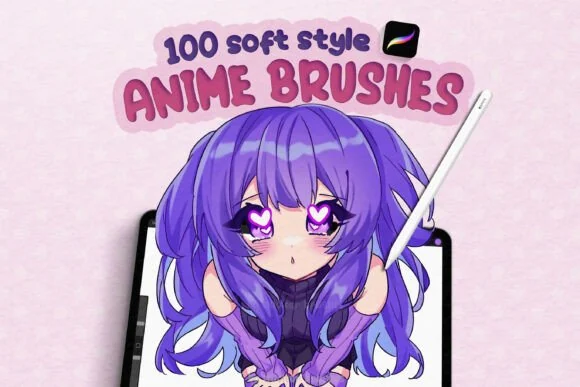
Anime and manga art do not depend on one magic brush. A convincing character illustration usually moves through several marks: a construction pencil, a confident contour, flat colour, controlled shadow, and a few accents that guide the eye. The best Procreate brushes for anime are the ones that support that rhythm without forcing every artist into the same finish.
The recommendations below use the current DigiKitPro product descriptions as a starting point. “Soft style,” “manga,” and “semi-realistic” cover different visual languages, so treat each option as a workflow match rather than a universal ranking.
The four brush jobs in an anime workflow
1. Construction and line art
Line weight carries expression. Use a lighter brush for construction, then a liner that can vary width for outer contours, facial features, folds, and hair groups. Keep the line hierarchy deliberate: the heaviest line is not automatically the most professional.
The Essential Line Art & Sketch Kit is the most focused option in this group. If you want more variety between fine liners and marker-like strokes, the Professional Liner & Marker Studio is a broader match.
2. Soft shading and blending
A soft anime finish still needs form. Build shadows around the planes of the face, under the fringe, inside sleeves, and where objects overlap. Use a lower-opacity brush and build the value gradually instead of covering the whole character with a single airbrush pass.
3. Wash and paper texture
Watercolour-style washes can soften a background, break up flat clothing, or add atmosphere to a character piece. Use them with a clear value plan; texture cannot rescue a silhouette that is hard to read.
4. Highlights and graphic accents
Reserve sparkle, glow, halftone, and eye highlights for accents. If every surface glows equally, the viewer loses the focal point. A small, hard catchlight or a few controlled texture marks often work better than a full-canvas effect.
Which DigiKitPro set fits your style?
| Your priority | Resource to inspect | Why it may fit |
|---|---|---|
| One broad anime workflow | Anime Soft-Style Studio Kit | The catalogue describes 100-plus brushes spanning linework, shading, blending, watercolor-style washes, details, and paper textures. |
| Soft, dreamy washes | 100+ Anime Soft Style Brushes | The product is positioned around watercolor brushes, shading, blending, textured details, highlights, and line art. |
| Ink and marker control | Professional Liner & Marker Studio | A useful comparison point when your work depends more on line and marker behaviour than on washes. |
| A small line-first library | Essential Line Art & Sketch Kit | A focused starting point for sketching, manga lines, and character construction. |
The catalogue is the source of truth for current included files and compatibility. A brush count does not describe the quality of your finished illustration.
A simple anime brush test
Make a one-page character study before opening a large project:
- Draw a head construction and one expressive eye.
- Ink the face and hair with two line weights.
- Add a three-value cel-shaded pass: light, local colour, shadow.
- Add one soft wash to the background and one hard highlight to the focal point.
- View the page at thumbnail size and remove any texture that competes with the face.
Save the brushes that helped you complete the page. Archive the rest until you know why you need them.
Common problems and fixes
- Lines feel scratchy: test a different liner or slow down the stroke; do not solve every wobble with more stabilisation.
- Skin looks flat: strengthen the value shape under the fringe, nose, chin, and jaw before adding blush.
- The character disappears in texture: keep the background lower contrast than the face and simplify decorative marks.
- Hair looks like a sticker: paint large hair groups first, then add a few directional strands; see the hair painting workflow.
- Soft shading becomes muddy: use separate layers, keep shadows purposeful, and let some base colour remain clean.
FAQ
What are the best Procreate brushes for anime beginners?
Start with a pencil or sketch tool, a controlled liner, a basic painting brush, and a simple shading brush. A focused line-art kit or a broad anime set can work; choose based on whether you need line practice or a wider soft-style workflow.
Can I use anime brushes for chibi art?
Yes. Chibi work benefits from the same line, fill, shading, and highlight roles. Reduce detail, simplify the value structure, and choose a liner whose taper suits the smaller proportions.
Are manga brushes different from anime brushes?
They overlap, but manga workflows often prioritise black-and-white line, hatching, screentone or halftone texture, and strong value design. Anime colour work may need more blending, washes, and highlight tools.
Do anime brush packs work on iPad?
The DigiKitPro products linked here are described as Procreate brush files for iPad. Confirm the current requirements on the product page and use Procreate’s official brush import guidance.
Can I sell anime art made with these brushes?
DigiKitPro’s Terms of Service allow personal and commercial artwork unless a product page states otherwise. They do not allow redistribution of the brush files themselves. Check the terms before offering editable source assets to a client.
Sources and update note
- Procreate Help: Importing your brushes — official supported formats and import flow.
- DigiKitPro product pages linked above — current product descriptions and requirements.
- DigiKitPro Terms of Service — current commercial-artwork licence language.
Build your anime library around the marks your characters actually need: confident lines, readable values, purposeful texture, and a few well-placed accents.