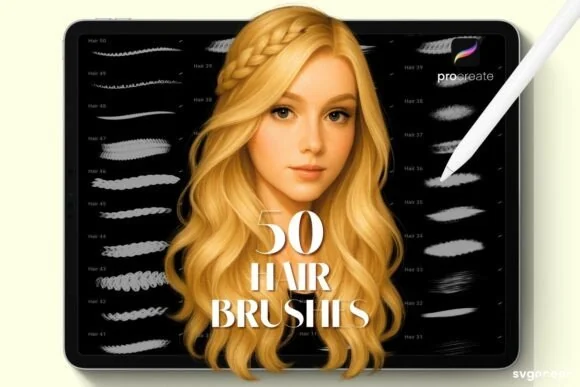
The fastest way to make digital hair look stiff is to draw every strand too early. Realistic hair is read first as a silhouette and a set of large clumps, then as directional ribbons, and only at the end as selected strands and flyaways.
This tutorial follows that mass-first order. The brush sizes and opacity ranges are suggested starting points, not fixed Procreate settings. Change them for the canvas, hair texture, lighting, and style in your reference.
What you need
- A clear reference showing the hair’s overall shape and light direction.
- A sketch or painting brush for the mass.
- A directional hair brush for clumps and strands.
- An eraser or opaque brush for carving edges.
- Optional stamp brushes for exploring hairstyles quickly.
The Professional Hair Brushes are suited to a hand-painted approach. The Hair & Hairstyle Stamp Kit is catalogued as 160 hairstyle stamps and can help you explore a silhouette before repainting it.
Step 1: Draw the head and hairline first
Before touching hair texture, establish the skull, face angle, ears, neck, and hairline. Hair grows from a form; it does not sit on top of a flat oval. Keep a construction layer beneath the painting and mark the direction of the part, fringe, and major growth areas.
Step 2: Block the entire mass
Choose a brush large enough to fill the main shape in broad strokes. Paint the base colour as one connected mass, including the shadowed interior. Ignore individual strands.
Check the silhouette at thumbnail size. Hair can have beautiful texture and still feel wrong if the outer contour does not describe the reference or character design.
Step 3: Divide the mass into large clumps
On a new layer or with an opaque brush, separate the hair into a few directional groups: fringe, crown, side sections, ponytail, curls, or loose ends. Each group should follow a clear flow from root to tip.
Use a darker value between clumps rather than outlining every section. The gaps create rhythm and depth without turning the hair into a collection of strings.
Step 4: Paint the major light ribbons
Observe where the light catches the form. Add broad, soft-to-firm ribbons that travel with the clumps. Keep them irregular: repeated identical highlights look like stripes.
Use a suggested low-to-medium opacity and build the light gradually. A highlight brush can speed up the mark, but it should follow the volume rather than flatten it.
Step 5: Add selected strands
Now switch to a smaller directional brush. Place strands near the part, around the silhouette, across a few clumps, and in places where the hair overlaps the face. Vary length, pressure, and value. Leave large areas without individual strands so the hierarchy stays clear.
For curls, describe the ribbon or spiral movement first. For straight hair, keep strands grouped and directional instead of drawing a parallel barcode.
Step 6: Refine the edge and flyaways
Use a light background colour or eraser to carve a few gaps in the silhouette. Add flyaways sparingly, especially against a contrasting background. Some stray hairs should disappear; a complete halo of equal lines looks intentional in the wrong way.
Return to the large mass if the edge becomes too noisy. Realistic hair needs both lost edges and crisp accents.
Step 7: Check the value and face relationship
Hide the texture layer and compare the hair mass to the face. The hair should frame the features without competing with the eyes unless the reference calls for that emphasis. At thumbnail size, you should still see the main light direction and shape.
The Portrait Mastery Kit includes hair, detail, texture, and finish categories according to its current product description, which can support keeping the stages separate.
Common mistakes
- Drawing strands before the head and hair mass are placed.
- Using one line weight for every strand.
- Making every highlight equally bright.
- Filling the silhouette with identical stamp shapes.
- Forgetting the hairline, part, or shadow between clumps.
FAQ
What is the best Procreate hair brush?
The best choice depends on whether you need to block a mass, paint clumps, draw strands, or add flyaways. A versatile directional brush is more useful for final painting than a stamp used without repainting.
How do I make hair look less stringy?
Return to the large mass and clumps. Reduce the number of individual strands, vary their length and value, and let broad ribbons carry most of the lighting.
Are hair stamp brushes useful?
Yes, for hairstyle exploration, silhouette blocking, and speed. Keep the stamp editable, repaint the important shapes, and vary the result so the final illustration does not look like an untouched stamp.
Should hair be painted on a separate layer from the face?
Usually. Separate hair layers make it easier to adjust the silhouette, place overlaps, and protect the face. Consolidate only after the main decisions are settled.
Can I use these brushes for anime hair?
Yes. Simplify the clumps, exaggerate the silhouette, and reduce strand detail to match the character style. The mass-first order still applies.
Sources and update note
- Procreate Handbook: Brush Studio — official brush customisation reference.
- DigiKitPro product pages linked above — current hair brush and stamp descriptions.
Paint the hair as a form first. The individual strands are the accents that explain the form, not the form itself.