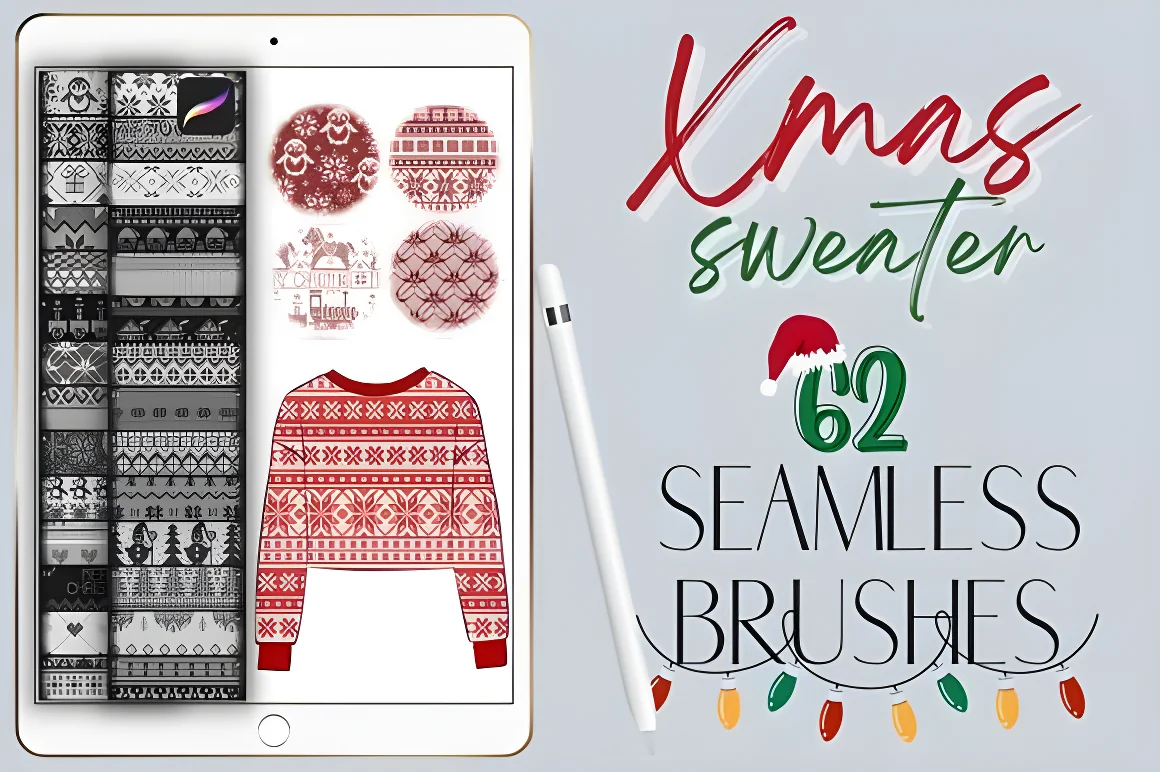
Drawing a convincing fair-isle or "ugly Christmas sweater" knit pattern stitch by stitch takes hours by hand. With seamless tiling pattern brushes in Procreate, you can paint continuous rows of Nordic snowflakes, reindeer bands, bells, holly, and rib-knit cables across a greeting card background or a character's winter jumper in minutes—while keeping every color row on its own editable layer.
This step-by-step tutorial walks through setting up a print-ready holiday canvas, layering multi-color knit bands without misaligning the stitch grid, and warping knit patterns around character clothing.
Choosing the right Christmas pack for your holiday project
| DigiKitPro Christmas pack | Listed contents & ZIP size | Best holiday use case |
|---|---|---|
| 62 Christmas Sweater Knit Pattern Brushes ($5) | 62 seamless knit pattern brushes · 35MB ZIP | Fair-isle card backgrounds, character sweaters, seamless winter borders |
| Christmas Procreate Brushes Bundle ($8) | 173 stamps & brushes + 44 washi tapes + frames & glitter papers · 159MB ZIP | Complete holiday cards, digital scrapbooking, framed photo cards |
| 25 Christmas Tree Stamp Brushes ($5) | 25 Christmas tree silhouette stamps · 5MB ZIP | Quick festive focal trees, gift tags, minimalist Scandi cards |
| 100 Hand-Drawn Christmas Stamp Brushes ($5) | 100 hand-drawn festive icon stamps · 30MB ZIP | Santa hats, cocoa mugs, wreaths, bells, candy canes and ornaments |
You can browse all four festive kits side by side on the Christmas Procreate Hub.
Step 1: Set up a 300 DPI canvas with print bleed
If you are illustrating a printable holiday card or invitation, start at 300 DPI with a 0.125 inch (3 mm) bleed on all four sides so the knit pattern extends cleanly to the trimmed edge of the paper:
- 5 × 7 in Holiday Card (A7) with 0.125 in bleed: 1575 × 2175 px at 300 DPI (trims to 1500 × 2100 px).
- 4.25 × 5.5 in Folded Note Card (A2) with 0.125 in bleed: 1350 × 1725 px at 300 DPI (trims to 1275 × 1650 px).
- Square Social / Instagram Post: 2048 × 2048 px or 3000 × 3000 px in sRGB.
Use our free Procreate Greeting Card & Print Bleed Calculator to calculate exact bleed, trim, and safe lettering zone pixel dimensions for any card size before creating your canvas.
Step 2: Lay down a dark wool-colored base and enable Drawing Guide
Fair-isle sweater patterns pop strongest when light cream, gold, and berry stitches sit against a deep wool background:
- Fill your bottom background layer with a rich forest green, cranberry red, or midnight navy from your palette (or import the 40 free palettes from our Free Color Vault).
- Open Actions (wrench icon) > Canvas > Drawing Guide, turn it on, and tap Edit Drawing Guide > 2D Grid.
- Set the grid spacing so horizontal guide lines divide your canvas into even horizontal bands. You do not need to enable Assisted Drawing unless you are drawing straight divider rules, because seamless pattern brushes tile automatically inside a single continuous stroke.
Step 3: Paint seamless knit bands in one continuous pass per layer
Select a brush from the 62 Christmas Sweater Knit Pattern Brushes set—such as a Nordic snowflake repeat, a reindeer band, or a geometric chevron stitch:
- Create a new layer for your first knit color (for example, warm cream wool).
- Set your brush size to the band scale you want and paint across the entire layer in one continuous stroke without lifting your Apple Pencil. Keeping your stylus down ensures the internal pattern grain stays locked to one seamless grid across the whole pass.
- Want a second color band (such as crimson hearts or pine green trees)? Create a separate new layer, pick the new color, and paint that band on its own layer so you can nudge its vertical position with the Transform (arrow) tool (using Snapping or one-pixel tap nudges) until the stitch rows align cleanly between bands.
Step 4: Recolor individual motifs with Alpha Lock or Clipping Masks
Once your knit pattern sits on a transparent layer, you can give different rows or motifs inside the same band multi-color yarn accents:
- Swipe right with two fingers on your knit pattern layer thumbnail to turn on Alpha Lock (or create a new layer above it and tap Clipping Mask).
- Select a hard round or textured inking brush and paint warm red, gold, or evergreen over specific rows—such as coloring the noses on a reindeer band, the berries on a holly border, or alternating stripes between snowflake rows.
- Add a subtle drop shadow below the stitches by duplicating the knit layer, filling the lower copy with a dark wool shade, setting it to Multiply at 20%–30% opacity, and nudging it down by 2–3 pixels.
Step 5: Warp knit patterns onto character sweaters or frame a holiday card
You can use your layered knit pattern in two popular ways:
- For holiday greeting cards: Leave a clean center band or stamp a focal centerpiece in the middle using the 25 Christmas Tree Stamp Brushes, the 100 Hand-Drawn Christmas Stamp Brushes, or the 44 washi tapes and frames inside the Christmas Procreate Brushes Bundle. See our full Christmas card layout tutorial for typography and safe-margin tips.
- For character illustration (ugly Christmas sweaters, scarves, and mittens): Paint the base silhouette of the character's sweater on a solid layer first, clip your knit pattern layer to the sweater layer (Clipping Mask), and tap Transform (arrow icon) > Warp. Gently curve the Warp mesh along the roundness of the chest, shoulders, and sleeves so the knit stitches follow the 3D folds of the fabric.
FAQ
Why did my knit pattern shift when I lifted my Apple Pencil?
Many Procreate pattern brushes align their grain per stroke. If you paint across the area in one continuous pass without lifting the Apple Pencil, the entire knit pattern stays locked to a single seamless grid.
Can I change the yarn colors of the 62 Christmas Sweater Knit Pattern Brushes?
Yes. The brushes paint in whatever active color you select in Procreate’s Color panel, and you can use Alpha Lock or a Clipping Mask on the pattern layer to paint multiple yarn colors across different stitch rows.
How do I curve a flat knit pattern around a character’s sleeve or sweater?
Clip the knit pattern layer to your sweater base layer using a Clipping Mask, then open the Transform tool, select Warp, and bend the grid mesh to follow the curve of the torso and sleeves.
What canvas size should I use to print a 5×7 inch Christmas card?
At 300 DPI with a standard 0.125 inch print bleed on each side, create a 1575 × 2175 pixel canvas in Procreate (which trims to 1500 × 2100 pixels). Keep text and key stamps at least 75 pixels inside the trim line.
How do I install the Christmas Sweater Knit Pattern Brushes on my iPad?
Download the 35MB ZIP from Payhip, tap the ZIP file once in the iPad Files app to extract it, and tap the .brushset file to import all 62 brushes into Procreate.
Sources and update note
- Procreate Handbook: Transform and Warp — official reference for warping pattern layers onto 3D forms.
- DigiKitPro Christmas Collection — verified brush counts, ZIP sizes, and product specifications.